 Nidalumi
A family calendar shared by everyone
Who's going where and when is visible to everyone, and the reminder goes to the person doing the driving. No "nobody told me," and no scrolling the group chat for the practice time.
I scroll through the family chat to find what time practice is. There are forty messages on top of it by now, memes, voice notes. It's easier to call and ask again, and that drives me crazy.
A shared calendar usually starts like this: one person enters everything and the rest never open it. The calendar exists, and they still ask you. It's not the people. An ordinary calendar only answers "what time" and stays silent until someone opens it.
What to put on the family calendar
A ready-made list. Go through it once and your head gets quieter.
| What | Sample entry | How often |
|---|---|---|
| School and daycare | parent night Thursday at 6:30, breaks, a no-school day | as they come up |
| Activities and sports | swimming, Tuesday and Thursday, 5:00 | every week |
| Who drops off and picks up | "pick up Emma from dance — Dad" | every week |
| Doctors and appointments | dentist, October 12, 10:40 | one time |
| Birthdays and holidays | Grandma's birthday, the school play | once a year |
| Trips away | a work trip, a visit to the grandparents | one time |
| Deadlines | insurance, car inspection, paperwork | once a year |
| Your own time | a workout, seeing friends | like everyone else's — with a day and an hour |
The last row isn't there for show. As long as your time isn't on the calendar, the family treats it as free.
Three rules without which a calendar gets abandoned
- Every entry has a person. "Swimming, 5:00" is information. "Swimming, 5:00, Dad drives" is an agreement.
- The reminder goes to whoever's driving. Not to whoever typed the entry. Otherwise you're still the family's alarm clock, just with a calendar now.
- Anything that repeats is entered once. A Tuesday class is one entry, not thirty.
How it works in Nidalumi
In Nidalumi there's one calendar per family: it's the same on the site, in the phone app and in the Telegram bot.
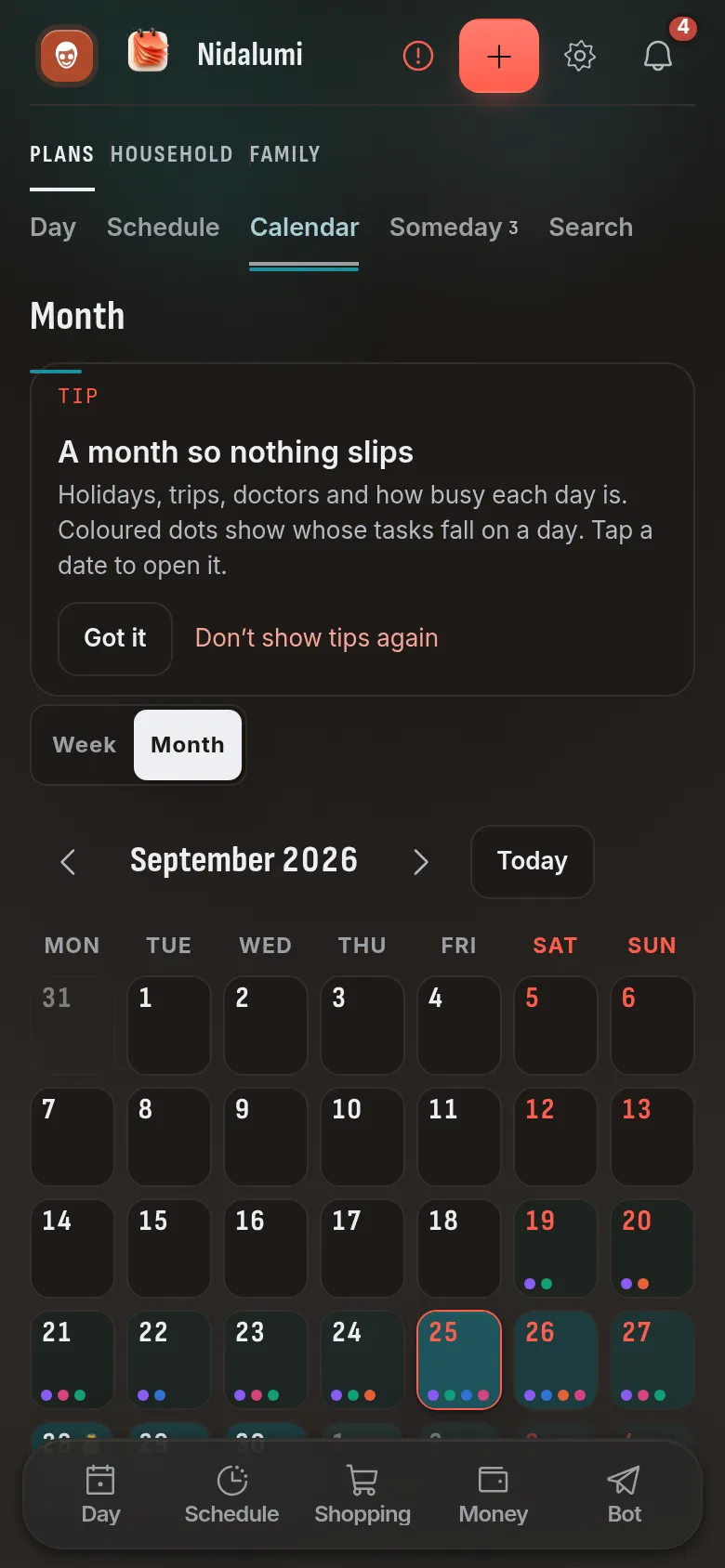
Week and month. The week shows who's going where and when. The month lets you spot that one Saturday has the school play, a birthday and the dentist.
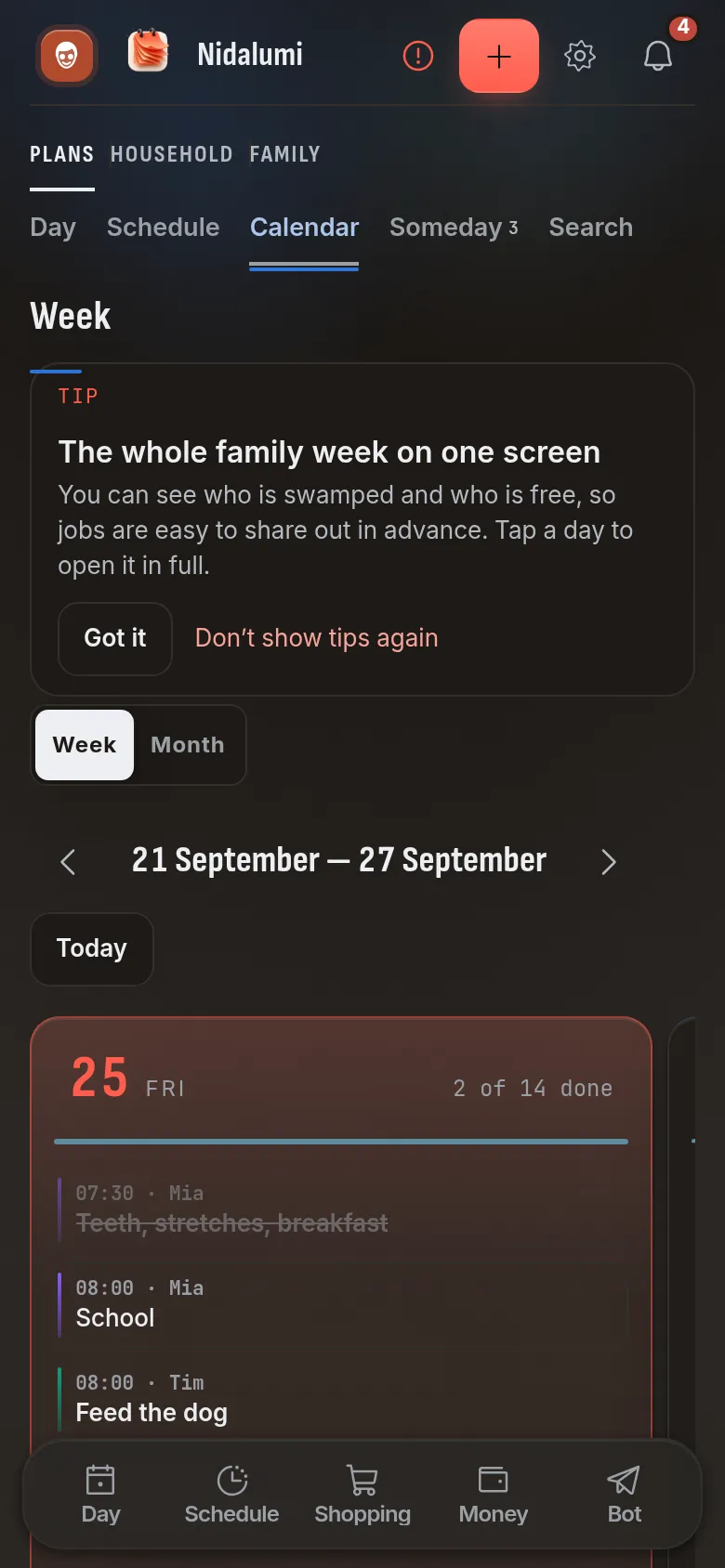
Event or task. An event only reminds: parent night at 6:30. A task has to be marked done: pick up the form. What's not done doesn't get hidden — it shows up in the evening summary.
"Every week" or "this week only." Activities and school repeat on their own. A rescheduled practice or a one-off trip lives for one week and doesn't mess up the rest. How to lay out a child's whole week this way is in the kids' schedule.
The school calendar — by link. If the school or the club keeps its own calendar, you can subscribe to it: the entries appear in the family one, with no copying by hand.
Your phone's calendar. The family calendar has its own link. Add it to your phone's calendar and the family entries show up where you look at everything else.
A sentence in Telegram. You can write to the bot "pick up Emma from dance tomorrow at 6 pm" — it works out the day, the time and the person by itself.
How to switch in one evening
- Write down everything that repeats weekly: school, activities, who picks up.
- Put a person on every line. Not "we" — a name.
- Add the one-offs for the coming month: doctors, school meetings, birthdays.
- Invite the others — by link or through Telegram.
- For the first week, answer "what time is it again?" the same way every time: "check the calendar."
A calendar won't replace the conversation about who takes on what. But it removes the reason the schedule sinks in the family chat: a chat is a feed, and a week is a table.
Choosing between apps? See how Nidalumi compares with Cozi and FamilyWall.
Using TimeTree for the family calendar? See the TimeTree alternative where every task has an owner.
Questions and answers
Does everyone need to install an app?
No. The calendar opens in a browser, in the app you install on your phone from the site, and in the Telegram bot. Each person picks what suits them — it's the same calendar for all.
Can I see the family entries in my phone's regular calendar?
Yes. The family calendar has its own link: add it to your phone's calendar and the entries show up there.
The school has its own calendar. Do I have to copy it over by hand?
No. You can subscribe to an outside calendar from a school or a club, and its entries appear in the family one.
What's the difference between an event and a task?
An event only reminds you of itself. A task has to be marked done, and what's not done shows in the evening summary.
How much does it cost?
5 days free, no card. After that it's $3.99 a month or $35 a year for a family of up to four — for the whole planner, not just the calendar.