 Nidalumi
A family planner in Telegram
Your family is already on Telegram, so nobody has to learn anything new. You write to the bot in plain words, and the reminder goes to whoever the task is assigned to.
There's no way I'm getting my husband on there. He checks the family chat once a day as it is. He'll say "just tell me what you need," and it all comes back to me.
Every planner breaks in the same place: the only person who opens it is the one who set it up. The others aren't lazy. They just have no reason to go into yet another app. So the planner has to come to where people already are. And it has to speak up, not wait to be looked at.
What to write to the bot: ready-made phrases
There are no commands to learn. Write the way you'd write in the family chat.
| What you need | What to write | What you get |
|---|---|---|
| A task with a time | "tomorrow at 6 pm pick up Emma from dance" | a task for tomorrow with a reminder |
| Shopping | "buy milk and bread" | two lines on the shared list |
| Shopping for someone | "buy medicine for Mom" | an item tagged with who it's for |
| On the go, hands full | a voice message | the bot transcribes it and adds it |
The bot figures out the day, the time and the person by itself. Voice messages are transcribed on the service's own server and aren't stored.
What each person gets
The reminder goes to whoever the task is assigned to, not to you to pass along. Under the message there are buttons:
- Done: it's finished, and everyone else sees that right away.
- On it: whoever taps takes the task.
- Postpone: not today, but it won't get lost either.
If a task matters, you can turn on Also remind: a copy of the reminder goes to the second adult. And in the evening the bot sends a daily summary of what got done and what didn't. Undone tasks don't get hidden, and there's no need to ask "did you take it out?"
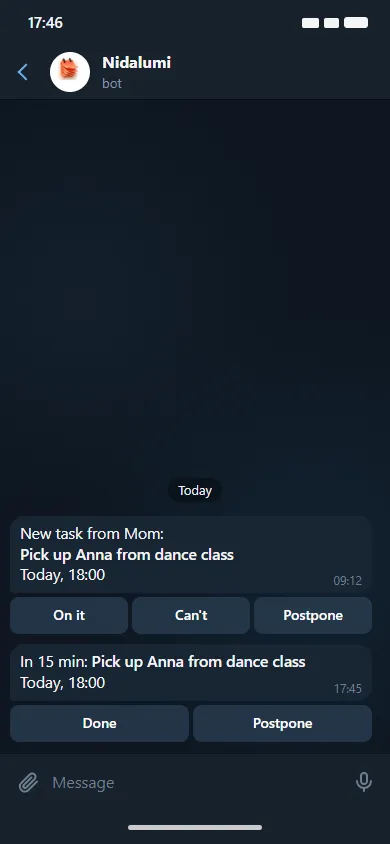
This is exactly what people ask for when they say "just tell me what you need." Only it isn't you saying it, and not for the twentieth time.
How the bot differs from a family chat
| Family chat | A planner in Telegram | |
|---|---|---|
| Where the agreement lives | in the feed, scrolled away by evening | in a specific person's tasks for the day |
| Who reminds | you, just in writing | the bot, on time |
| Done or not | you have to ask | a Done button and an evening summary |
| Shopping | "get bread" among forty messages | a shared list with a "bought" mark |
| Who took the task | "well, somebody" | whoever tapped On it |
The chat stays for conversations and photos. Why tasks drown in it and what to do about that is in the guide to the family chat.
How to get your family on board
- Set up your family in Nidalumi. It takes a couple of minutes.
- Invite everyone else: with a link or through Telegram.
- Write the bot the three things you remind people about most. Trash, practice, medication, anything.
From then on, those three reminders don't come from you. That's usually enough to tell whether this way of doing things suits your family.
If someone doesn't use Telegram
Telegram is optional. The bot does everything the website does, and the other way around: you can work in a browser or install the app on a phone from the website, on Android and iPhone. Then reminders arrive as phone notifications.
For a little kid without a phone, a parent marks Done. More on handing out tasks so you don't have to repeat them out loud is in reminders for each person.
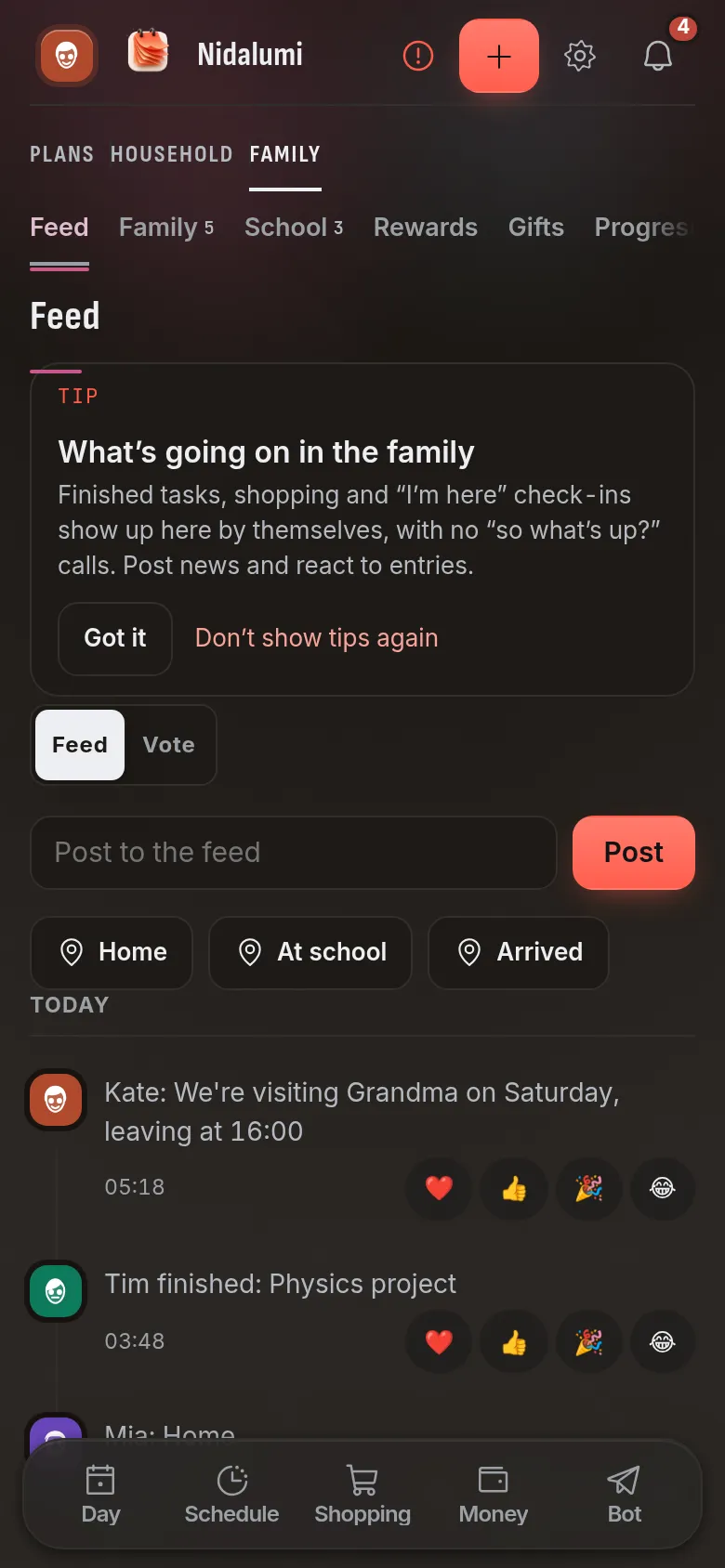
Choosing a family app? Compare the best Cozi alternatives side by side.
Questions and answers
Does the bot do less than the website?
No. The Telegram bot does everything the website does: tasks, shopping, the schedule and the other sections.
Are voice messages stored anywhere?
No. Voice messages in Telegram are transcribed on the service's own server and aren't stored.
Will the bot message me at night?
There are quiet hours: during that time the bot doesn't disturb you.
My kid doesn't have Telegram. Are they left out?
No. A kid can use the website or the app, and for a little one without a phone, a parent checks things off.
How much does it cost?
5 days free, no card needed. After that it's $3.99 a month or $35 a year for a family of up to four.