 Nidalumi
A shared shopping list: one for the whole family
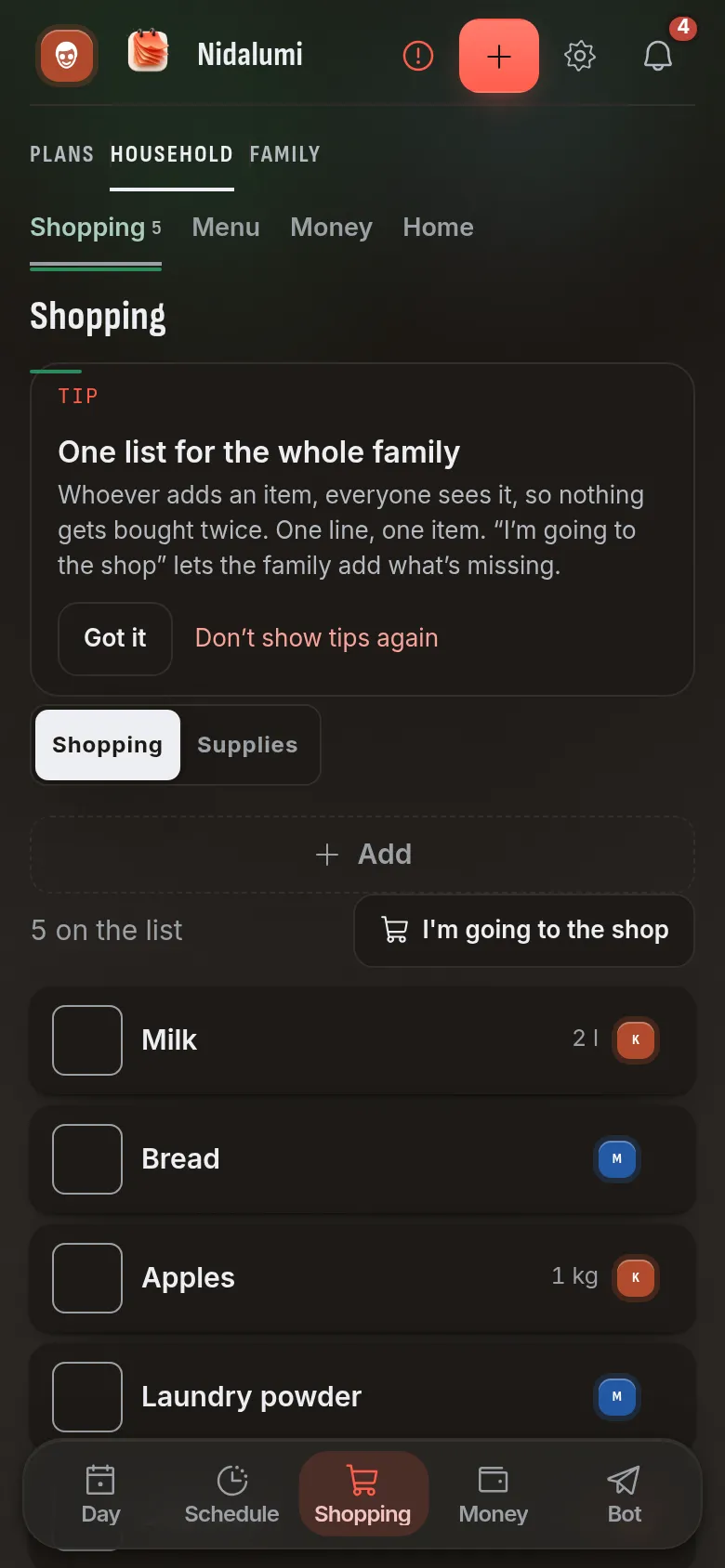
Anyone adds to it, everyone sees it, and bought items disappear for everybody at once. No more "what should I get?" calls from the store, and no more two gallons of milk on the same day.
He calls from the store: "What should I get?" I recite it from memory, then remember the butter and call back, and he's already at the register.
A shopping list breaks in one place: it lives with one person. In their head, in their phone's notes, or in a message that has already scrolled up the chat. Nobody else can see it, so they either call or buy by guesswork.
How the shared list works in Nidalumi
One list for the whole family. It's the same on everyone's phone, in the browser and in Telegram. The milk ran out? Whoever noticed adds it. It doesn't have to be you.
One line, one item. You can paste ten lines at once and get ten items, each with its own checkbox.
"Bought" is visible to everyone right away. Check it off in the store and the line goes dim for everyone else. Two people won't buy the same thing, and nobody needs to text "I got the bread."
You can assign it. "Cat food for Jake": Jake gets a message saying he's been asked to buy it, and sees it on his own phone.
Adding an item takes a second, even behind the wheel
Nobody keeps a list that's a pain to write in. So there are three ways:
- In the app: a field at the top, and you can dictate by voice.
- In Telegram: just write to the bot, "buy milk, eggs and cat food." It splits that into lines by itself. If there's a name at the end ("buy medicine for Mom"), it remembers who it's for.
- By voice message in Telegram: say it on the go, and the bot transcribes it and adds it.
Supplies: a list that refills itself
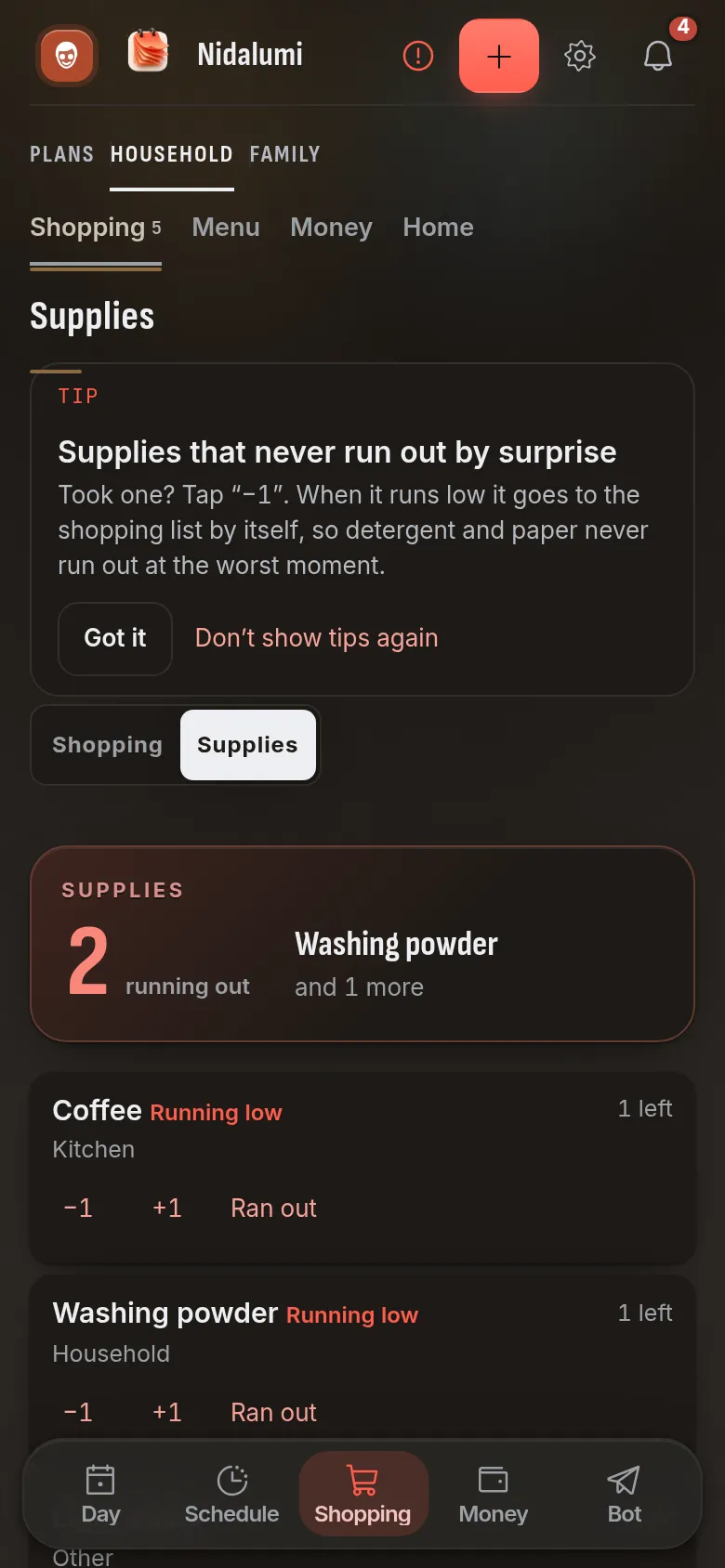
Some things run out on a loop: coffee, pet food, laundry detergent, dishwasher tabs. You can add them to Supplies and mark how much is left. When it gets low, the item shows up on the shopping list automatically. Once it's bought, the supply is topped up.
That takes away the least visible part of the work: remembering that something at home is about to run out.
Why it beats a note or a chat
| A note on your phone | A message in the chat | A shared list | |
|---|---|---|---|
| Everyone sees it | only if you share access | yes, until it scrolls up | yes |
| Someone already bought it | can't tell | someone has to write | visible right away |
| Adding on the go | only the owner | one more message | anyone, including by voice |
| Assigning it to a specific person | no | "could you please pick up..." | yes, with a message to them |
| Reminds you what's running out | no | no | yes, through Supplies |
Where to start
- Set up your family. It takes two minutes.
- Invite everyone else: with a link or through Telegram.
- Type in what needs buying today. From there the list runs itself.
Shopping is the simplest way to test how Nidalumi works for your family: on the very first store run you'll notice the "what should I get?" calls are gone. And a weekly list will help you shop less often.
Choosing a family app? Compare the best Cozi alternatives side by side.
Questions and answers
Does everyone have to install the app?
No. You can use it in a browser, install the app on a phone from the website, or keep the list through the Telegram bot, whichever suits each person. Everyone has the same list.
Will the list work in a store with no signal?
Yes. The app opens offline, "bought" marks are saved on the phone and reach everyone else when the connection comes back.
Can I keep several lists: groceries, pharmacy, hardware?
There's one list per family. An item can be assigned to a specific person, and they'll see it separately, and regular items are easy to keep through Supplies.
How much does it cost?
5 days free, no card needed. After that it's $3.99 a month or $35 a year for a family of up to four, and that covers the whole planner, not just shopping.